








Overview of Google Re-Marketing Tool Module
It enables ecommerce websites to configure their website for ad campaigns. Admin can enter the Google Tag, re-marketing, conversion tracking code, and Facebook pixel tracking code on the website.
This module is helpful for website owners who seriously wants to track their maximum sales from Google and Facebook Ads platform and utilize the power of conversion rate optimization.
This module will help a website track down how the ads are performing by tracking order conversion or new customer signup or landing to the product page etc. This improves measuring your website traffic analysis and order conversion rate.
Facebook PIXEL code can be inserted into the website. Facebook ads campaigns can run effectively. It supports multi-store too.
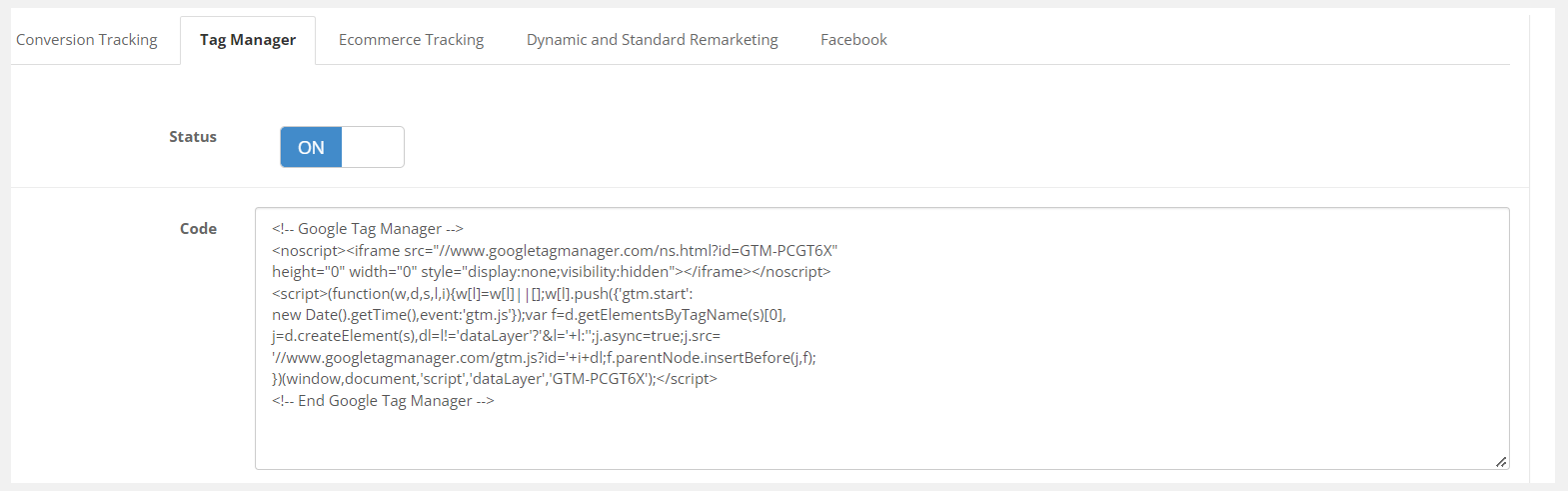
Add With Google Tag Manager
Using this module, Admin can insert the Google Tag Manager code into the e-commerce website. This code will be added to the head automatically.
Just copy the code from the Google Tag manager and paste it into the Tag manager section. The code will be automatically inserted into all pages of the website.
Admin can disable it whenever there is no need for tag manager or the admin is about to use the Google UA or Google Analytic 4 code.
Google Conversion Tracking
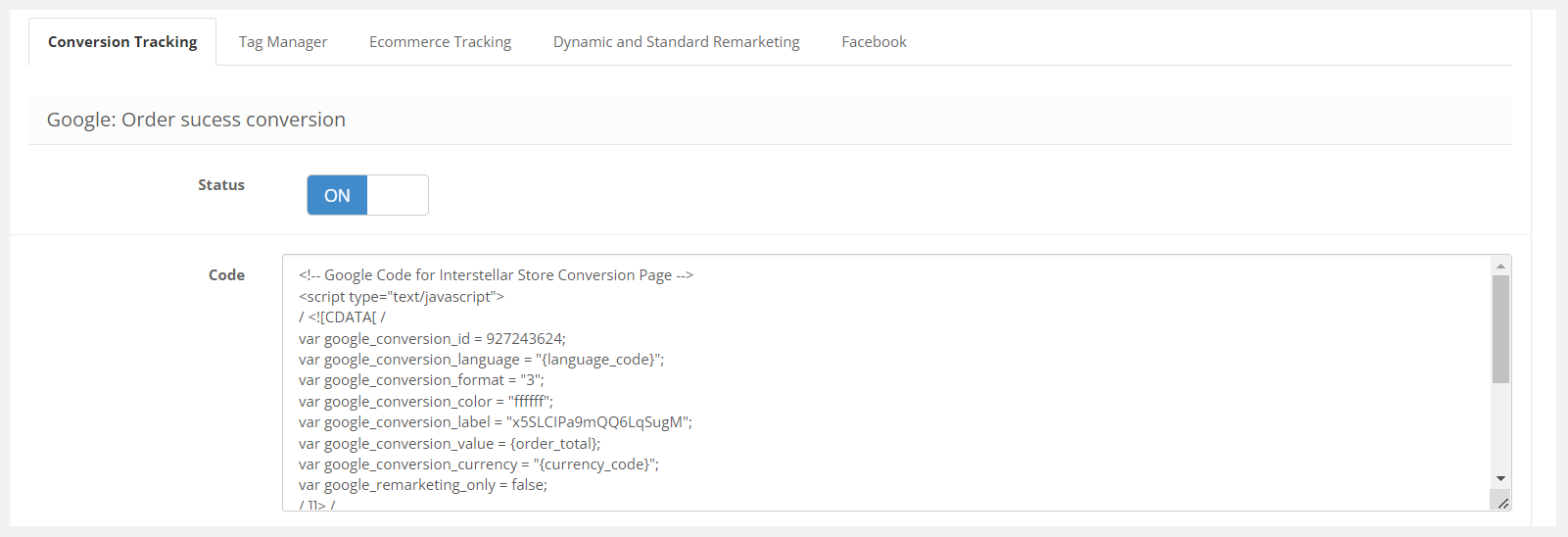
Websites that sell their product online can also track the order from Google Analytics and AdWord. Admin can set the conversion setting in the Analytic.
When you set the Google Ad Campaign for order conversion, this code will let Google capture the order from your website. The order data will show on your ad campaigns and Google Analytics as well.
It will improve the ad campaign and decrease overall spending drastically. It is one of the important steps mentioned by Google to do before running the conversion ad on an e-commerce website.
Connect With Google Re-Marketing Code
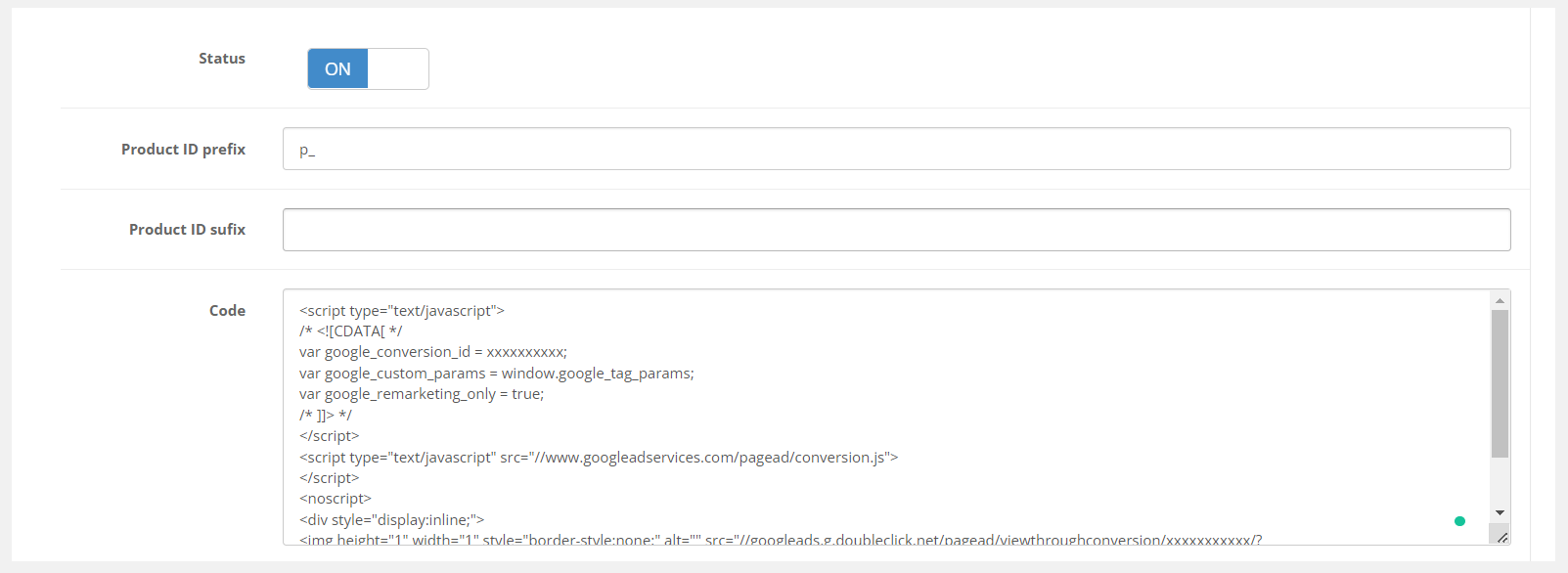
Re-marketing code is essential to run the ad campaigns successfully. It is important to track the user who is coming from Google ad campaigns only. So that ad will automatically be optimized according to user behavior and traffic source.
Dynamic and standard re-marketing codes can be inserted. This code will also be added to the head of each page of the website.
To track the products only, the admin can set the product prefix and suffix on the website. Enable and disable this option from the setting.
E-commerce Tracking
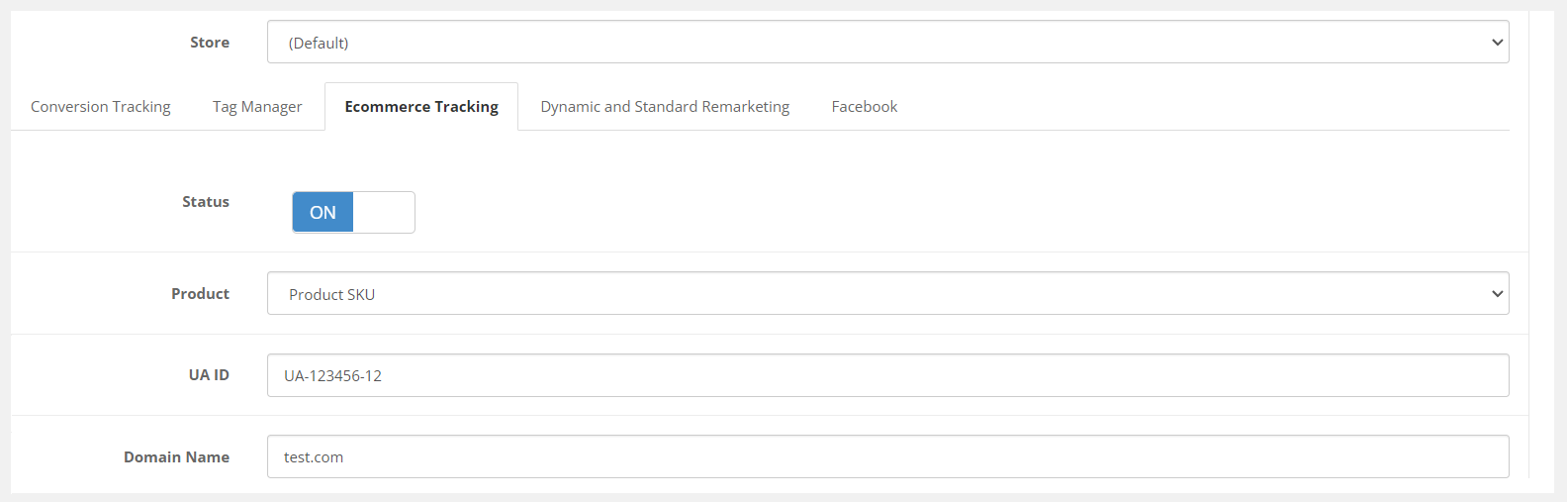
Tracking the e-commerce website performance is easy with this Google marketing tool module.
There are three different ways to track the product's id, model, and SKU. Enable the UA Code of Google Analytics in the setting.
Admin can enter the domain url. Google Analytics will start tracking the products on the website. Enable and disable the tracking anytime from the setting.
Facebook Pixel Tracking Code
There is a separate section given for the Facebook pixel code. This module is compatible with Google and Facebook both.
The pixel code will be added below to Google marketing codes. The Facebook pixel will start capturing the users who land on your website. And build the audience on your ad account.
It will give you the best result in the lead or conversion ad campaigns on Facebook.
There is a separate section given for the Facebook pixel code. This module is compatible with Google and Facebook both.
The pixel code will be added below to Google marketing codes. The Facebook pixel will start capturing the users who land on your website. And build the audience on your ad account.
It will give you the best result in the lead or conversion ad campaigns on Facebook.
Short-codes Available
This extension comes with inbuilt short-codes. All the short-codes are present on the setting page.
These short-codes can use in the Google, and Facebook tracking JS codes. It will reduce the work of a developer who sets the marketing tags on your website.
This extension comes with inbuilt short-codes. All the short-codes are present on the setting page.
These short-codes can use in the Google, and Facebook tracking JS codes. It will reduce the work of a developer who sets the marketing tags on your website.